Best Free Apps for Teaching and Learning
Description
Best Free Apps for Teaching and Learning , Technology has become an essential part of modern education. As classrooms become increasingly digital, teachers and students are looking for reliable free apps for teaching and learning that provide useful features without adding to already limited budgets.
The right educational apps can make lessons more interactive, simplify classroom management, encourage collaboration, and give students additional opportunities to practice outside the classroom. In this guide, we explore some of the best free educational apps in 2026, covering classroom management, interactive learning, language development, creativity, STEM, and communication.
Whether you teach young children, secondary students, or university learners, these tools can help you create a more organized and engaging learning experience.
Why Free Educational Apps Matter
Education budgets can be challenging, particularly when schools need software for large numbers of teachers and students. Free educational apps help bridge this gap by giving educators access to useful digital tools without requiring expensive subscriptions.
They can also make learning more accessible. Students who cannot afford private tutoring or premium learning platforms can still use resources such as Khan Academy for academic practice or Duolingo for language learning.
Another major advantage is progress tracking. Many educational apps provide useful information about student performance, allowing teachers to identify areas where students are struggling and adjust their lessons accordingly.
In this way, free apps are not simply a way to save money. They can also promote accessibility, independent learning, and more informed teaching decisions.
Top Free Apps for Classroom Management
Classroom management tools help teachers organize assignments, communicate with students, share resources, and keep track of everyday academic activities.
Google Classroom
Google Classroom is one of the most widely used free teaching platforms. It allows teachers to create assignments, distribute learning materials, collect student work, and provide grades and feedback online.
Its integration with Google Docs, Google Sheets, and Google Drive makes it particularly useful for teachers who already use Google’s productivity tools. Teachers can create digital lesson resources, organize materials, and share them with an entire class or individual students.
By moving assignments online, Google Classroom can also reduce paperwork and make it easier for students to keep track of their work and deadlines.
Seesaw
Seesaw is especially useful for elementary and early-years classrooms. Instead of relying only on written responses, students can demonstrate their learning through photographs, drawings, videos, and voice recordings.
Teachers can create activities and students can respond directly within the platform. This makes Seesaw particularly helpful for younger learners who may not yet be comfortable writing long answers.
Parents can also view their children’s learning portfolios, creating a stronger connection between classroom activities and learning at home.
Edmodo
Edmodo provides an education-focused environment where teachers can share assignments, quizzes, polls, files, and announcements with students.
Its communication and grade-tracking features make it a useful option for middle and high school classrooms. The platform is designed to provide a structured space where teachers and students can interact and manage academic activities.
Best Free Apps for Interactive Learning
Interactive learning tools can transform ordinary review sessions into activities that encourage students to participate. Rather than simply listening to a lesson, students can answer questions, compete in activities, and receive immediate feedback.
Kahoot!
Kahoot! turns quizzes and review activities into game-style experiences. Teachers can create questions on almost any subject, while students answer using their own devices.
The results can be displayed on a shared screen, creating an exciting and competitive classroom atmosphere. Teachers can use Kahoot! for revision, formative assessment, icebreakers, and end-of-unit reviews.
Its engaging format can encourage students to participate actively while helping teachers quickly assess how well their class understands a topic.
Quizlet
Quizlet is a popular study tool for learning vocabulary, facts, formulas, and other information. Its digital flashcards and practice activities allow students to review material at their own pace.
Students can create their own study sets or use sets created by other users. Different study modes, including matching activities and practice tests, give learners multiple ways to review the same material.
Teachers can also assign Quizlet sets as homework and use student progress information to identify topics that require additional practice.
Blooket
Blooket combines educational questions with game-based activities. Students answer questions to earn rewards within different game modes, making repetitive revision sessions more enjoyable.
The platform offers several game formats, allowing teachers to change the experience rather than using the same type of activity repeatedly. This variety can help maintain student interest during review lessons.
Best Free Apps for Language and Literacy
Strong reading, writing, and language skills are important across every area of education. The following apps provide additional opportunities for students to strengthen these skills.
Duolingo
Duolingo uses short, game-like lessons to help users learn languages. Its activities focus on vocabulary, grammar, and regular practice, while features such as daily streaks encourage learners to study consistently.
Language teachers can use Duolingo as a supplement to classroom instruction, giving students opportunities to practice outside school.
Epic!
Epic! provides children with access to a large collection of digital books, audiobooks, and educational videos. It is designed particularly for younger readers and can support reading practice both inside and outside the classroom.
Teachers can organize reading materials around particular topics or grade levels. Reading activity can also be tracked, which may help teachers monitor students’ independent reading habits.
Grammarly
Grammarly provides automated suggestions related to grammar, spelling, and writing clarity. Students can use it while drafting essays and other assignments to identify common writing mistakes.
It can be particularly helpful during the editing and revision stage. However, students should still learn how to identify and correct their own mistakes rather than depending completely on automated suggestions.
Creative and STEM Learning Apps
Creative and STEM-focused applications give students opportunities to experiment, design, solve problems, and build projects. These experiences can complement traditional worksheets and lectures.
Canva for Education
Canva for Education provides design tools that students can use to create presentations, posters, infographics, and other visual projects.
Teachers can also use Canva to create classroom materials, worksheets, presentations, and visual learning resources. Students can demonstrate their understanding through creative projects instead of relying exclusively on traditional written assignments.
Scratch
Scratch, developed by MIT, introduces students to programming through a simple drag-and-drop interface. Learners can create games, animations, and interactive stories while developing fundamental programming and logical-thinking skills.
Because students do not need extensive coding experience to begin, Scratch is suitable for introductory computer science lessons, STEM programs, and coding clubs.
PhET Interactive Simulations
PhET Interactive Simulations provides free interactive simulations for subjects including physics, chemistry, biology, and mathematics.
Students can change variables and immediately observe the results. This makes abstract scientific and mathematical concepts easier to explore and understand.
PhET can also be especially useful when schools do not have access to physical laboratory equipment or when a particular experiment would be difficult or unsafe to conduct in a classroom.
Best Free Apps for Communication and Collaboration
Effective communication between teachers, students, and parents plays an important role in education. Digital communication tools can make it easier to share announcements, coordinate activities, and encourage collaboration.
Remind
Remind allows teachers to communicate with students and parents through text-style messages without requiring teachers to share their personal phone numbers.
Teachers can send reminders about assignments, tests, school events, and other important information. Families can also respond through the platform, making communication more convenient.
Zoom
Zoom supports live online lessons and is useful for remote and hybrid learning environments. Teachers can use video meetings, screen sharing, and breakout rooms to conduct lessons and small-group activities.
It can also be useful for tutoring, parent meetings, and guest presentations when participants cannot meet in person.
Padlet
Padlet provides a shared digital board where students and teachers can post text, images, links, videos, and other content.
Teachers can use it for brainstorming, collaborative assignments, exit tickets, and classroom discussions. Because students can see their classmates’ contributions, Padlet can encourage participation and peer-to-peer learning.
How to Choose the Right Educational App
With so many free teaching and learning apps available, choosing the right one can be difficult. Start by considering the subject and learning objective. A mathematics classroom may need different tools from an art or language class.
The students’ age and skill level are also important. Younger children generally benefit from simple interfaces, clear instructions, and visual features, while older students may be comfortable using more advanced platforms.
Consider Student Privacy
Before introducing an educational app, review its privacy policy and understand what student information the platform collects.
Schools may have their own approved-app lists or privacy requirements. Teachers should make sure that any tool they use follows the appropriate data-protection rules and school policies.
Test the App First
Before asking an entire class to use a new application, spend some time exploring it yourself. Create a sample assignment, test the main features, and see how the grading or reporting system works.
A short trial can help you identify technical problems before they interrupt an actual lesson.
Ask Students for Feedback
Students can provide valuable feedback about whether an app genuinely improves learning. After using a new tool for several weeks, ask students whether they found it useful, confusing, enjoyable, or unnecessary.
Use their feedback to decide whether the app should remain part of your teaching strategy or be replaced with another option.
Final Thoughts
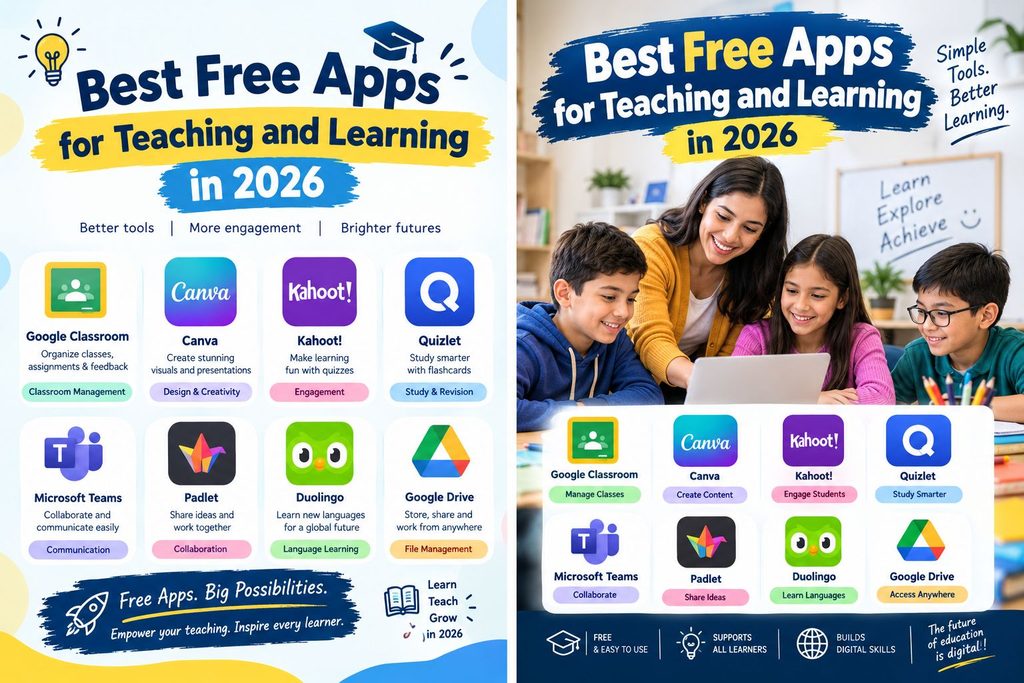
Free educational apps can give teachers powerful tools for improving lessons without putting additional pressure on school budgets. From Google Classroom for organization and Kahoot! for interactive quizzes to Scratch for coding and PhET for science simulations, each platform can serve a different educational purpose.
You do not need dozens of apps to create an effective digital classroom. Start with one or two tools that solve your most important teaching challenges. Once you become comfortable with them, gradually add other applications that provide genuine value.
The best teaching and learning apps should support your teaching rather than distract from it. Choose platforms that match your educational goals, protect student privacy, encourage meaningful participation, and make learning easier and more effective.
Frequently Asked Questions
1. Are free educational apps as effective as paid apps?
Many free educational apps provide enough features for common classroom activities such as quizzes, flashcards, assignments, communication, and basic learning management. Paid plans may offer additional storage, advanced analytics, or extra features, but free versions can still be highly useful.
2. Which free apps are best for elementary students?
Seesaw and Epic! are particularly suitable for younger learners because they provide visual and relatively simple ways for children to participate in learning activities and explore educational content.
3. Can educational apps replace teachers?
No. Educational apps are designed to support teaching, not replace teachers. They can provide practice, feedback, interactive activities, and organizational support, but teachers remain essential for explanation, guidance, critical thinking, classroom relationships, and deeper learning.
4. Do free educational apps collect student data?
Many digital platforms collect some information, such as account details and usage data, in order to operate their services. Teachers and schools should carefully review each platform’s privacy policy and confirm that its use complies with relevant school policies and applicable regulations, including requirements such as FERPA or COPPA where applicable.